Spatial Asset Recommender – View Tags for an Asset
← Previous | Start | Next →
Right now, it is possible to view the tags for a specific asset.
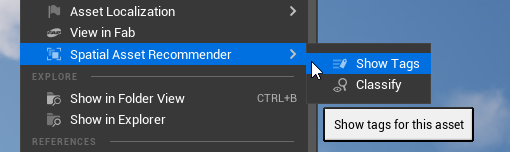
To open that window, right-click the asset in the standard content browser, and in the context menu:
Spatial Asset Recommender → Show Tags.
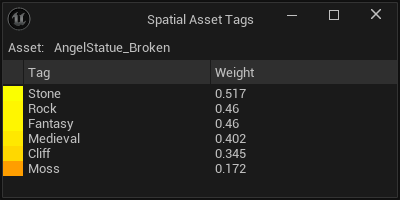
This window shows the name of the asset, and a full list of all tags and their weights. The colors visualize the weight, from red (0.0) to green (1.0). Note that 0.0 is filtered out.